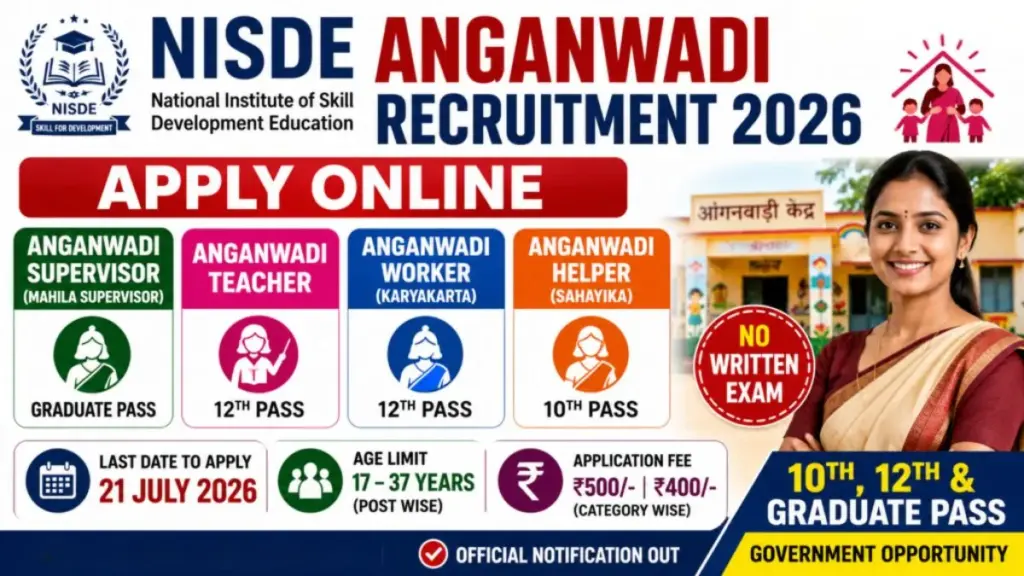
Women searching for Anganwadi Recruitment 2026 can apply for Anganwadi Worker and Anganwadi Helper vacancies through the recruitment portal authorised by their state Women and Child Development Department. The application process is not the same across India because state and Union Territory administrations manage Anganwadi recruitment. Some vacancies are available online, while others may require offline submission at the CDPO office.
Key details at a glance
- Total posts
- Select district, project, village and post
- Age limit
- Action Required
- Qualification
- Add Class 10, Class 12 or higher qualifications
In this article11 sections
- Anganwadi Online Form Process
- Step 1: Open the Official Recruitment Portal
- Step 2: Complete Candidate Registration
- Step 3: Select the Correct Vacancy
- Step 4: Enter Personal Information
- Step 5: Add Educational Details
- Step 6: Upload the Required Documents
- Step 7: Preview and Final Submit
- Step 8: Save the Application Printout
- Frequently Asked Questions
- Conclusion
Before filling out the Anganwadi online application form 2026, read the official advertisement carefully. Confirm the educational qualification, age limit, residence requirement, application dates and vacancy available in your village, ward or Anganwadi centre.
Anganwadi Online Form Process
| Application Stage | Action Required |
|---|---|
| Registration | Enter your mobile number and create an account |
| Vacancy selection | Select district, project, village and post |
| Personal details | Enter name, address and date of birth |
| Educational details | Add Class 10, Class 12 or higher qualifications |
| Document upload | Upload photographs and certificates |
| Form preview | Check every entered detail |
| Final submission | Submit and save the application receipt |
Step 1: Open the Official Recruitment Portal
Visit the official WCD, ICDS or Anganwadi recruitment website for your state. Avoid applying through unofficial websites that promise guaranteed selection.
Look for options such as Anganwadi Worker and Helper Recruitment 2026, “Apply Online,” “New Registration” or “Candidate Login.” The Madhya Pradesh recruitment portal, for example, provides vacancy information, recruitment instructions, a user manual, provisional lists and objection-related services for Worker and Helper recruitment.
Step 2: Complete Candidate Registration
Click on “New Registration” and enter the requested information. Depending on the portal, this may include your name, mobile number, email address, Aadhaar number, district, project and preferred vacancy.
The Uttarakhand 2026 registration page asks candidates to enter their name, mobile number, password, Aadhaar number, district, block or project and vacancy name. Candidates must use an active mobile number because OTP verification and future recruitment updates may be sent to it.
Find jobs that match you
2 quick questions · free · no sign-up
1 What is your qualification?
2 Which jobs do you want?
Create a secure password and save your registration number and login details.
Step 3: Select the Correct Vacancy
After logging in, open the available vacancy list. Select the correct district, Child Development Project, sector, village or ward, Anganwadi centre and post.
Local residence is an important condition in many Anganwadi recruitments. Applying for the wrong village or centre can make the application ineligible. Uttarakhand’s 2026 portal displayed vacancies according to district, project, sector, ward or village and Anganwadi centre.
Step 4: Enter Personal Information
Fill in your name, parents’ or spouse’s name, date of birth, marital status, category, address and identification details.
Enter the information exactly as shown on your Aadhaar card, educational certificates and residence documents. Differences in spelling, date of birth or address may create problems during document verification.
Step 5: Add Educational Details
Enter the board or university name, passing year, marks obtained, total marks and percentage for every qualification claimed.
Applicants should provide Class 10 and Class 12 information where required. Graduation or other higher qualifications should be entered only when permitted by the official recruitment rules. The Uttarakhand user guide places educational information in a separate application stage before document upload.
Step 6: Upload the Required Documents
Upload a recent photograph, signature, educational marksheets, residence certificate, caste certificate and other documents specified in the notification.
Files must match the prescribed format and size. Upload clear documents that can be read easily. Blurred, incomplete or incorrectly cropped certificates may result in verification problems.
Step 7: Preview and Final Submit
Use the preview option to check your post, village, personal details, marks and uploaded documents. Correct mistakes using the “Edit Form” option before final submission.
The official Uttarakhand instructions state that candidates cannot modify the application after selecting “Final Submit.” Applicants should therefore verify every field carefully before completing the process.
Step 8: Save the Application Printout
After successful submission, download or print the completed form, acknowledgement or application receipt. Keep the registration number and password safe for checking the merit list, application status and document-verification schedule.
Frequently Asked Questions
Can the Anganwadi form be edited after submission?
Many portals do not allow corrections after final submission. Check all details before clicking the final button.
Can I apply using a mobile phone?
Yes, when the portal works properly on mobile. However, using a computer or authorised service centre may make document uploading easier.
Is Aadhaar required?
Aadhaar is required where it is specifically requested by the state recruitment portal.
Is the Anganwadi application completely online?
Not always. Some states use online forms, while certain districts continue to accept offline applications.
Conclusion
To fill the Anganwadi Online Application Form 2026 successfully, register on the official portal, select the correct local vacancy, enter accurate information, upload readable documents and review the form before final submission. Always save the application receipt for future reference.